
What's in the CallSprout partner portal
- Audience: Admins
Last updated
The partner portal is for CallSprout's referral partners and their sales reps. Use it to keep your leads, build co-branded quotes, send clients to CallSprout to quote, follow each opportunity through to signed and onboarded, download sales materials, and see your commissions and payouts.
It's at welcome.callsprout.com/partners.
How it fits together
- Add a lead for each company you're talking to: its contacts, notes, financial details and, if you like, answers to our quote questions. See Leads.
- Build a quote for the lead if you want to price it yourself. Every quote belongs to a lead. See Quote builder.
- Send the lead to CallSprout when the client is ready, with or without your quote. We pick it up, quote the client and send the agreement. See Sending a lead to CallSprout.
- Follow it on the lead and under Opportunities: the agreement, and then each step of handing the client to our onboarding team. See Dashboard and opportunities.
- Get paid: once a client is won and paying, your commission, your terms and every payment show on Commissions. See Payout, tax and commissions.
Partners and reps
There are two kinds of login:
| Partner (your company's primary contact) | Sales Rep (added by the partner) | |
|---|---|---|
| Dashboard, Leads, Quotes, Opportunities | The whole company's | Their own only |
| Companies you referred to CallSprout's sales team (marked Referred) | Yes | Only the ones that came in through their own referral link |
| Materials and Hardware store | Yes | Yes |
| Support | All of the company's tickets | Their own tickets |
| Commissions | Yes | No. Reps never see commission amounts. |
| Branding | Yes | No (reps use their company's logo) |
| Team | Yes | No |
| Payout and tax | Yes | No |
A rep's leads, quotes and opportunities belong to your company, with the rep recorded as their owner.
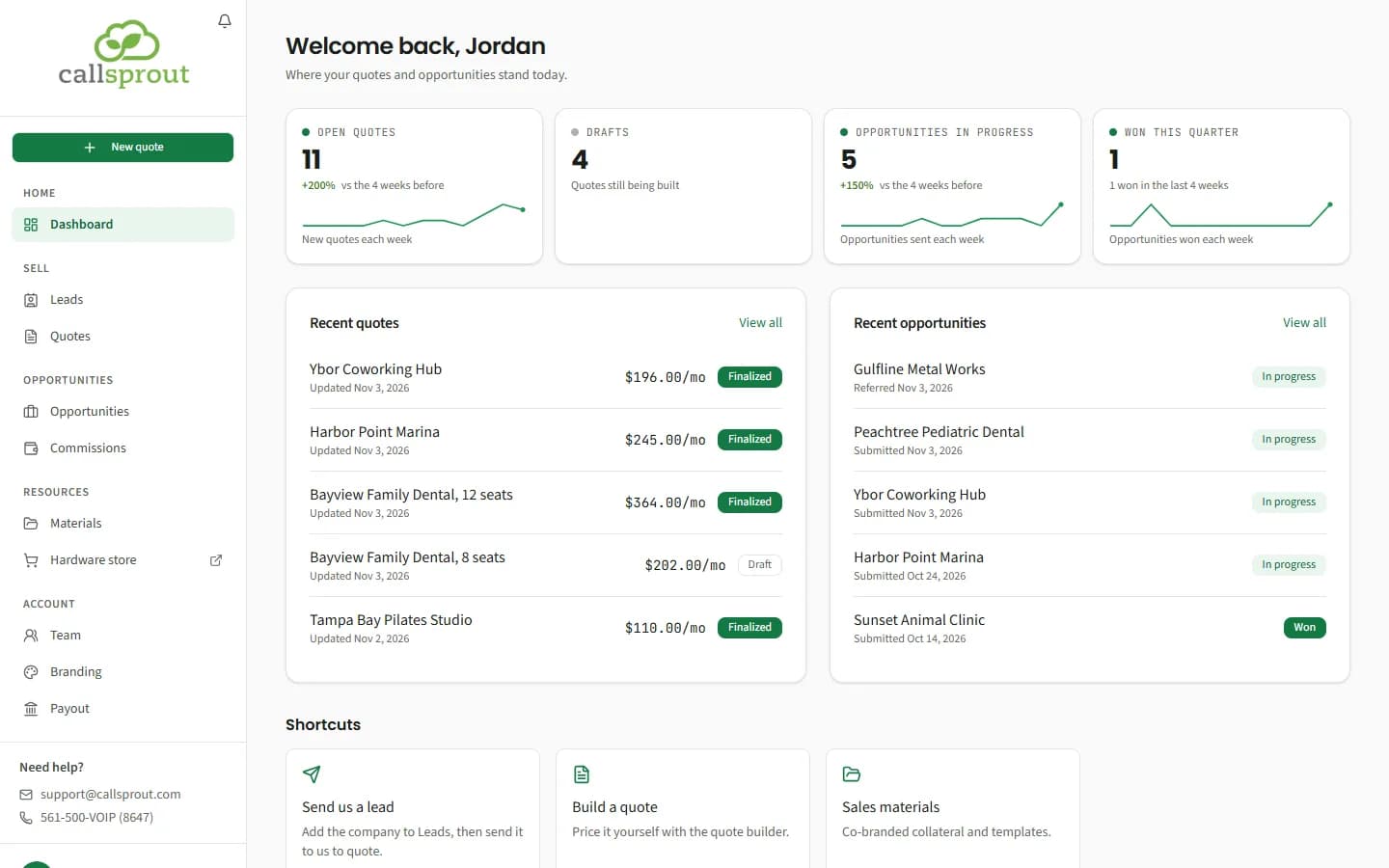
The sidebar
| Group | Items |
|---|---|
| Home | Dashboard |
| Sell | Leads, Quotes |
| Opportunities | Opportunities, Commissions (partners only, and only if your partnership includes commission) |
| Resources | Materials, Hardware store (opens in a new tab), Support (when it's on) |
| Account | Team, Branding and Payout (partners only) |
At the top of the sidebar:
- the CallSprout logo, with the notification bell in its corner;
- your own logo, in its own box, once you've added one;
- New quote, which starts a quote from anywhere. It shows once your portal is unlocked, and not while you're already in the quote builder.
At the bottom are Need help? (support@callsprout.com and 561-500-VOIP (8647)) and your account menu, with My account, Dark mode / Light mode and Sign out.
On a phone, a slim bar at the top holds the logo, the bell and a menu button that opens the sidebar.
Until CallSprout approves your company, most items are greyed out with a lock and the note "Unlocks after approval", and a Get started › Onboarding item shows how far along you are. See Onboarding.
Notifications
The bell shows a count of new alerts. Open it to see two tabs, New and History. Tick an alert to mark it read, or use Mark all read. Notifications are kept for 7 days.
| Alert | Who gets it |
|---|---|
| Quote out for signature: {client} | The partner, and the rep who built the quote. Opens the lead the quote was sent from (or the quote, for an older quote with no lead). |
| Quote signed: {client} | The partner, and the rep who built the quote. Opens the lead (or the quote). |
| Agreement out for signature: {client} | For a lead you sent without a quote: the partner, and the rep who owns the lead. Opens the lead. |
| Agreement signed: {client} | The same, once the client signs. Opens the lead. |
| Catalog changes on your quote for {client} | The partner, and the rep who built the quote, when a product on an open quote is repriced or no longer offered. Review the quote before it goes to the client; its price notice can move it onto the new prices (see Quote builder). |
| Picked up: {client} | When someone at CallSprout starts working on a lead you sent: the partner, and the rep who owns the lead. Opens the lead. |
| Referral credit needs a check: {client} | When a client you sent is already a CallSprout customer or already registered with us, so referral credit isn't automatic: the partner, and the rep who owns the lead. Opens the lead. |
| Not going ahead: {client} | When the agreement on a lead you sent is declined or cancelled: the partner, and the rep who sent it, with an email too. Opens the lead, where Send again is. |
| Won: {client} | When an opportunity is won: the partner, and the rep who sent it, with an email too. Opens Commissions for a partner who earns commission, otherwise the lead. |
| Closed lost: {client} | When our team closes an opportunity as lost: the partner, and the rep who sent it, with an email too. Opens the lead. |
| A client you referred signed: {client} | When a company you referred to CallSprout's sales team signs with us: the partner, with an email too. It gives the monthly amount when we know it and, if your partnership includes commission, says any commission shows on Commissions once it's worked out. Opens Opportunities. |
| A client you referred didn't go ahead: {client} | When a company you referred to our sales team doesn't go ahead with us: the partner, with an email too. Opens Opportunities. |
| We couldn't take a client you referred forward: {client} | When our team finds a company you referred isn't the right fit for CallSprout's services: the partner, with an email too. Opens Opportunities. |
| Commission payment sent: {amount} (or Commission installment sent) | The partner, when we send a commission payment. Opens Commissions. |
| Upload your W-9 so we can pay you | The partner, once, when commission is owed and no W-9 is on file. Opens Payout and tax. |
| CallSprout replied: {subject} | Whoever opened the support ticket, and the partner when a rep opened it. A sent lead's conversation (Request for {company}) counts as opened by whoever owns the lead (see Support tickets). |
Getting help
The bottom of the sidebar has Need help?: support@callsprout.com and 561-500-VOIP (8647). If support tickets are on for partners, you can also open a ticket.
Related articles
Still stuck? Contact support
Our team in West Palm Beach can walk you through it. Tell us your name, your company and what you were trying to do.