
Press slash to jump to search. Use the up and down arrows to move through results and Enter to open one.
Ticket insights
- Audience: Admins
Last updated
Who sees it: admins and managers. Everyone else sees "For admins and managers".
- Admins see their locations: the whole company for an admin of All locations.
- Managers see the tickets of the people in the groups they manage.
The page says which you're seeing, for example "These numbers cover your locations".
Use Period (Last 30 days, Last 90 days, Last 12 months) and Location to narrow it.
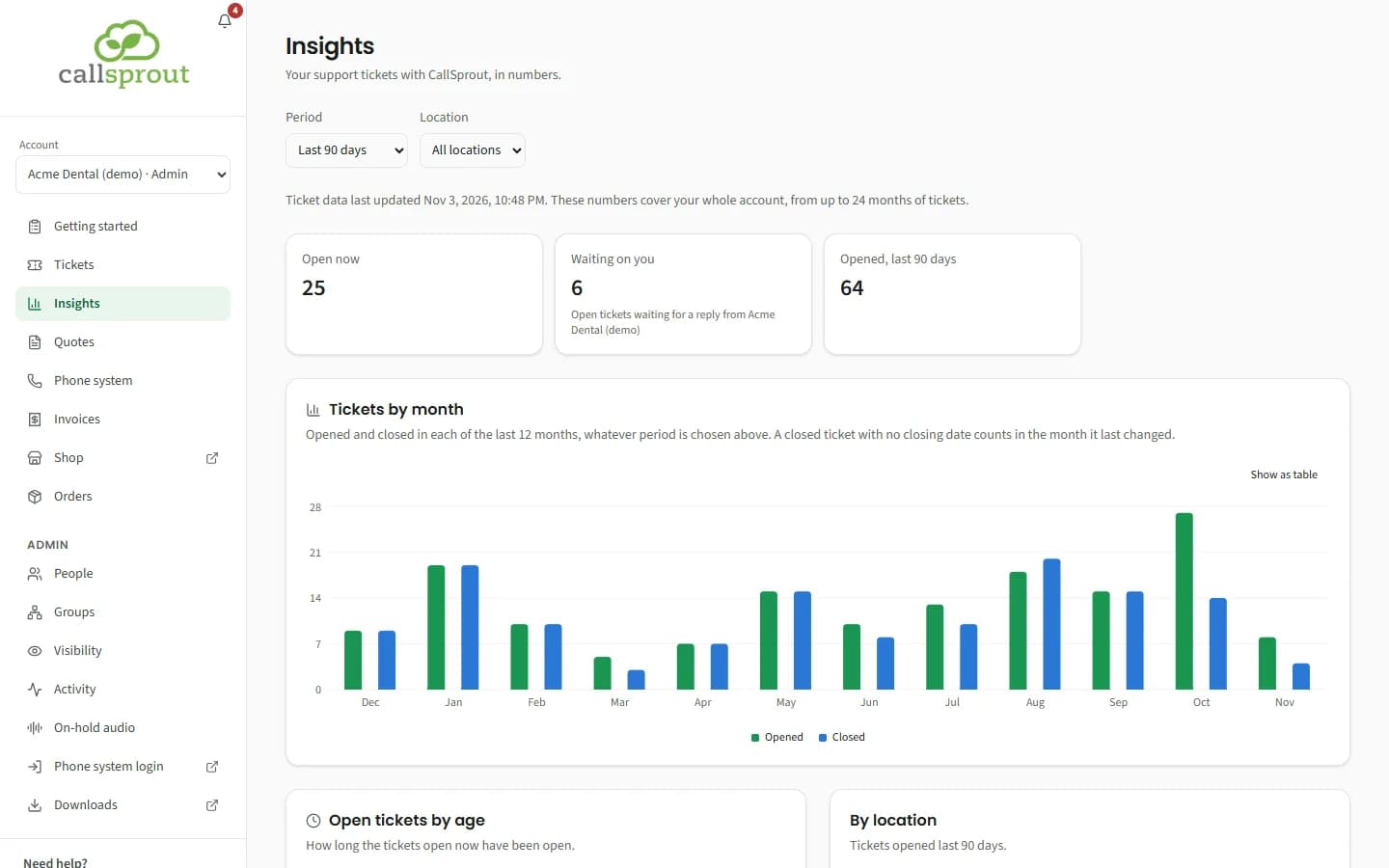
| Section | Shows |
|---|---|
| Open now | Tickets open right now |
| Waiting on you | Open tickets waiting for a reply from your company |
| Opened in the period | New tickets in the period |
| Tickets by month | The trend |
| Open tickets by age | 0 to 2, 3 to 7, 8 to 30, and over 30 days |
| By location / Who opens tickets / By type / By severity | Where tickets come from and what they're about |
| How tickets came in | Opened in the portal vs By email, phone or our team |
| Median time to resolve, How quickly tickets close, First response | CallSprout's response and resolution times, when CallSprout has turned them on for your account |
| Your response time | How long your company takes to reply after CallSprout writes to you on a ticket, when CallSprout has turned it on |
Your response time shows:
- the median and average reply time;
- how many replies came within 4 hours, within 1 day and within 3 days;
- tickets that closed without your reply;
- Waiting on your reply now: open tickets waiting on you, longest first, each linked;
- Median reply time by month.
CallSprout can hide sections for your account, so you may not see all of these.
Related articles
Still stuck? Contact support
Our team in West Palm Beach can walk you through it. Tell us your name, your company and what you were trying to do.