
Order hardware and track your orders
- Audience: End users
- Audience: Admins
Last updated
Shop
Shop in the sidebar opens CallSprout's hardware store in a new tab. Anyone can browse it.
Browsing the store
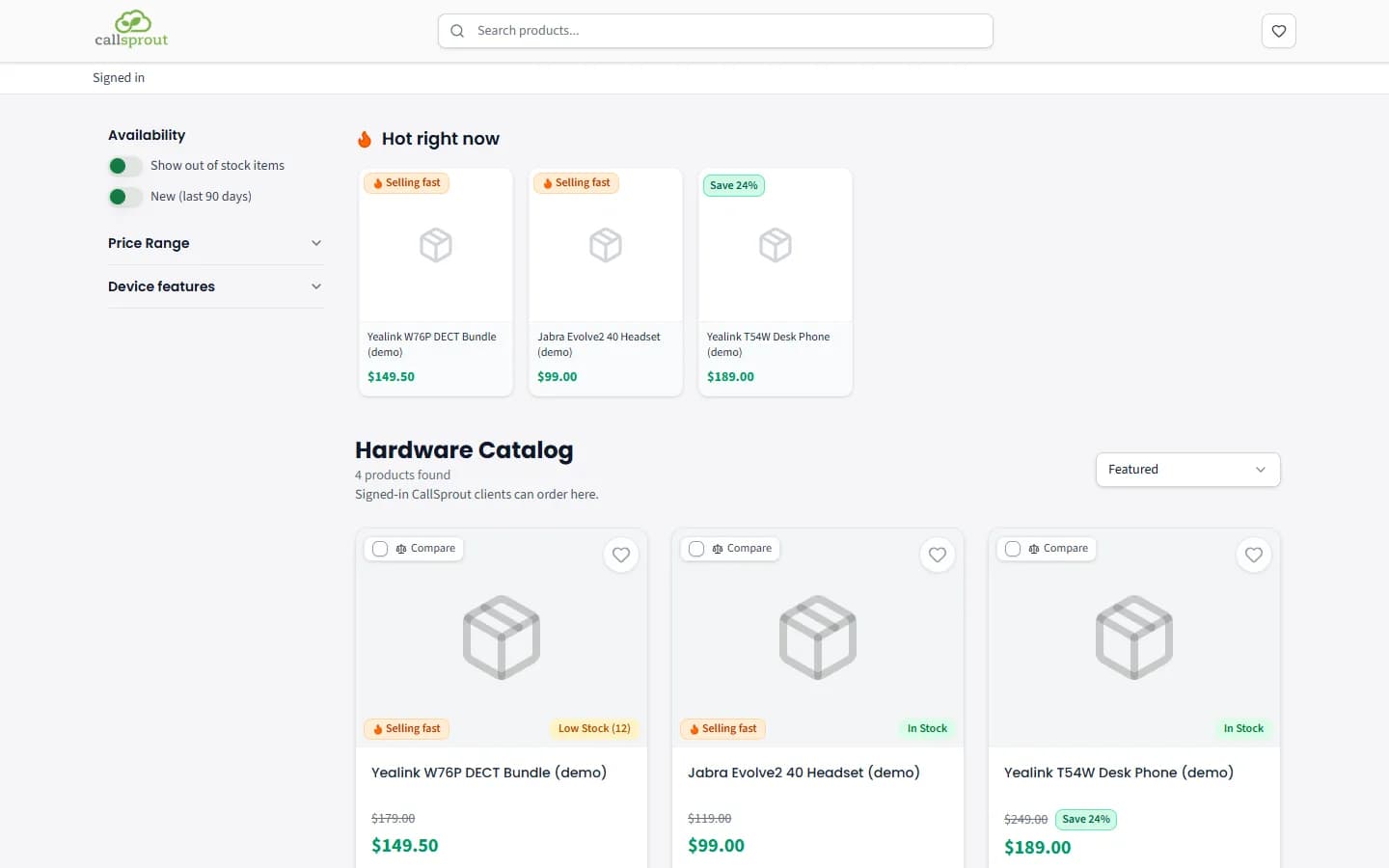
- Featured order: the store opens with the items marked Preferred first, then items that are selling fast, then phones, headsets and other devices, then open-box and refurbished units, then parts and accessories. Items that are out of stock come last when you show them (Show out of stock items). To sort another way, pick Name: A to Z, Name: Z to A, Price: Low to High or Price: High to Low from the menu at the top right.
- Prices: when our price is at least 3% under the list price, the list price shows struck through with it. When you save 20% or more, a green Save N% badge (for example Save 24%) shows too, on the item's card and when you open it.
- Selling fast: an orange badge with a flame, on an in-stock item whose stock has been going quickly over the past week. It shows on the item's card and when you open it.
- Hot right now: a row at the top of the store with the items selling fast, then in-stock items at 20% or more off. It shows only on the first page of the whole store: searching, filtering or turning the page hides it. Click an item to open it. If nothing is selling fast or on a big discount, the row doesn't show.
Ordering
| You are | You get |
|---|---|
| Signed out | Sign in to order |
| Signed in, and allowed to order (admins, and people with Place store orders) | Add to cart, the cart, a location picker and Place order |
| Signed in, not allowed to order | Ask us about this item, which opens a ticket |
Placing an order doesn't charge you. Your CallSprout tech turns it into a quote and confirms shipping and tax on it, and you sign the quote.
If you see 'To place orders, ask your account admin to turn on "Place store orders" for you', that's what to do.
If you leave items in your cart without ordering, you may get a reminder email during business hours: "Your cart for {company} is waiting".
Shipping estimate
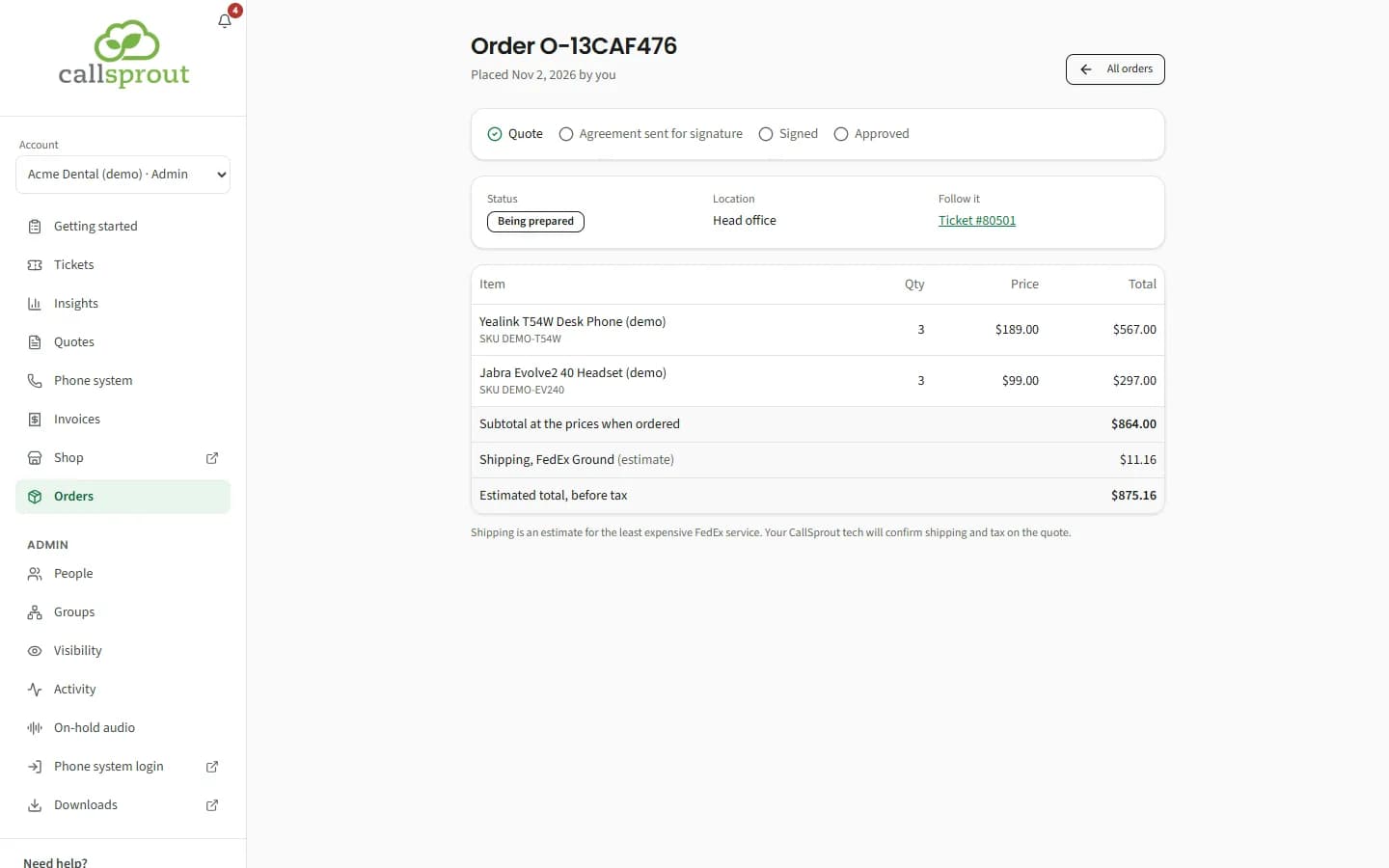
When you place an order, we work out a shipping estimate for it: the least expensive FedEx service to your location's shipping address on file. This can take a few seconds. The confirmation then shows your items' total plus the estimated shipping, and the estimated total before tax, for example "Order O-1A2B3C4D for Head office, $864.00 plus $11.16 estimated shipping (FedEx Ground), $875.16 before tax."
It's an estimate. Tax isn't included, and your CallSprout tech confirms the shipping and tax on the quote before sending it to you to sign. The quote is what you agree to.
Some orders don't get an estimate, for example when an item doesn't ship this way or we don't have a shipping address for the location. The order goes through just the same, and says "Your CallSprout tech will confirm shipping and tax on the quote."
Orders
Orders in the sidebar, for admins and people with Place store orders. Admins see every order placed for their locations ("Every Store order placed for your locations"), or the whole company for an admin of all locations. Everyone else sees their own.
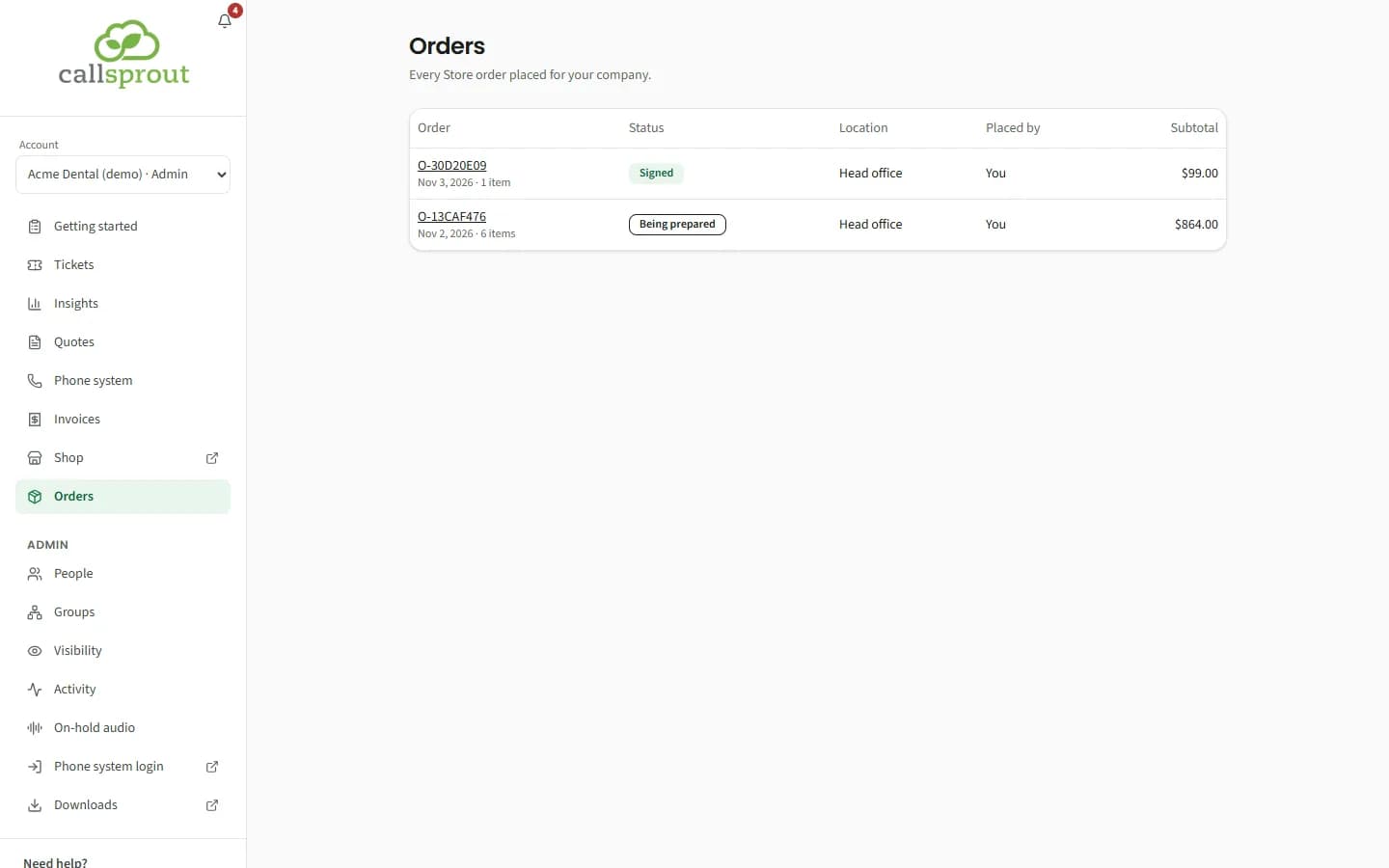
| Status | Meaning |
|---|---|
| Submitted | Received by CallSprout |
| Being prepared | The quote is being put together |
| Waiting for your signature | The quote is ready to sign |
| Signed | Accepted |
| Not going ahead | Cancelled |
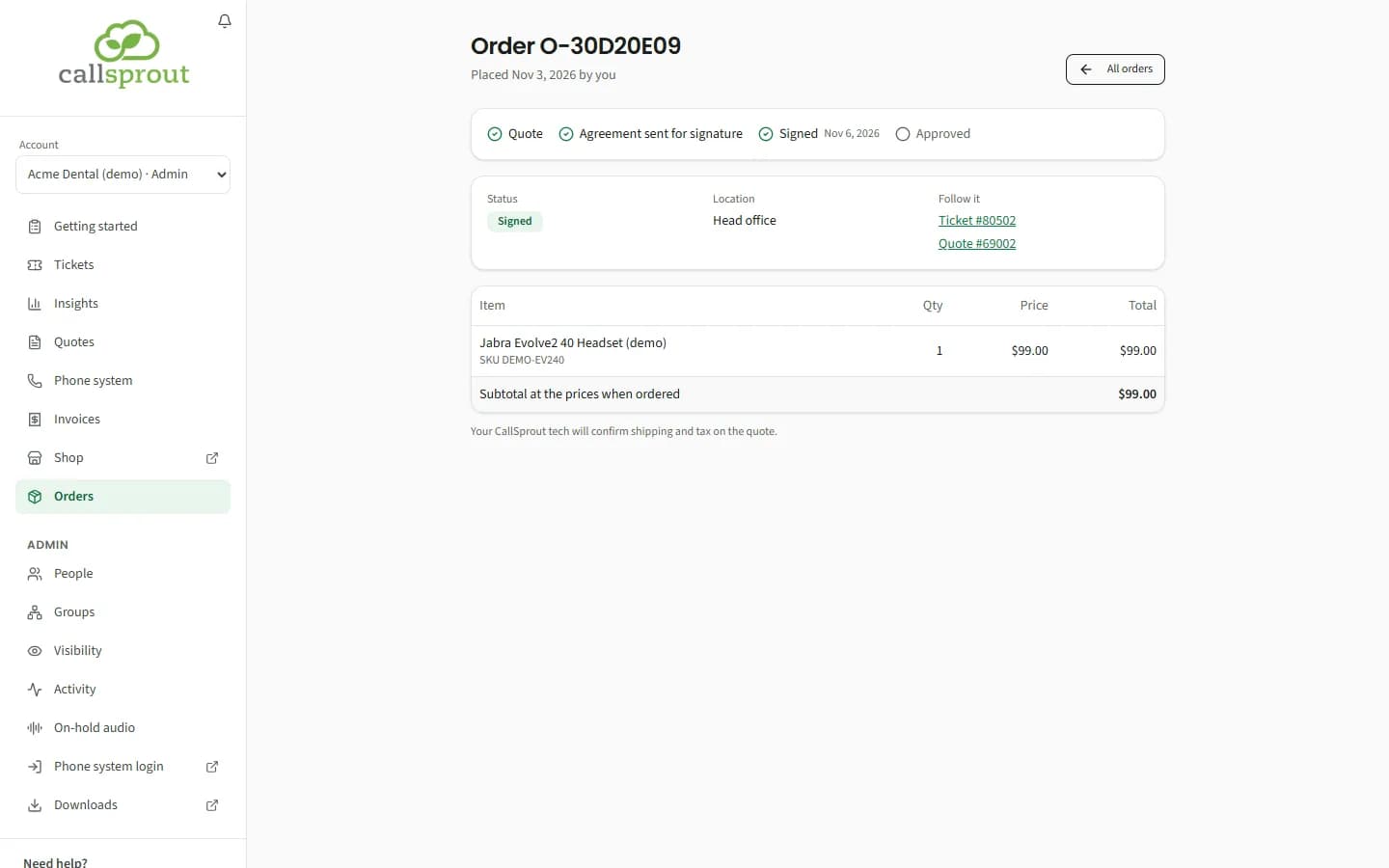
Open an order (Order O-XXXX) for its lines, and Follow it to go to its ticket and quote. Once the order has its quote, the order shows the same line of steps as a quote (Quote, Agreement sent for signature, Signed, Approved, or Not going ahead), with where the agreement comes from while it's out for signature; see Quotes. The bell tells whoever placed the order when it's waiting for a signature, signed, or not going ahead.
An order with a shipping estimate shows two more lines under the subtotal: the shipping, such as "Shipping, FedEx Ground (estimate)", with its price, and Estimated total, before tax. Its ticket lists the estimate too. Under the table: "Shipping is an estimate for the least expensive FedEx service. Your CallSprout tech will confirm shipping and tax on the quote."
Related articles
Still stuck? Contact support
Our team in West Palm Beach can walk you through it. Tell us your name, your company and what you were trying to do.