
Press slash to jump to search. Use the up and down arrows to move through results and Enter to open one.
Notifications: the bell in the client portal
- Audience: End users
- Audience: Admins
Last updated
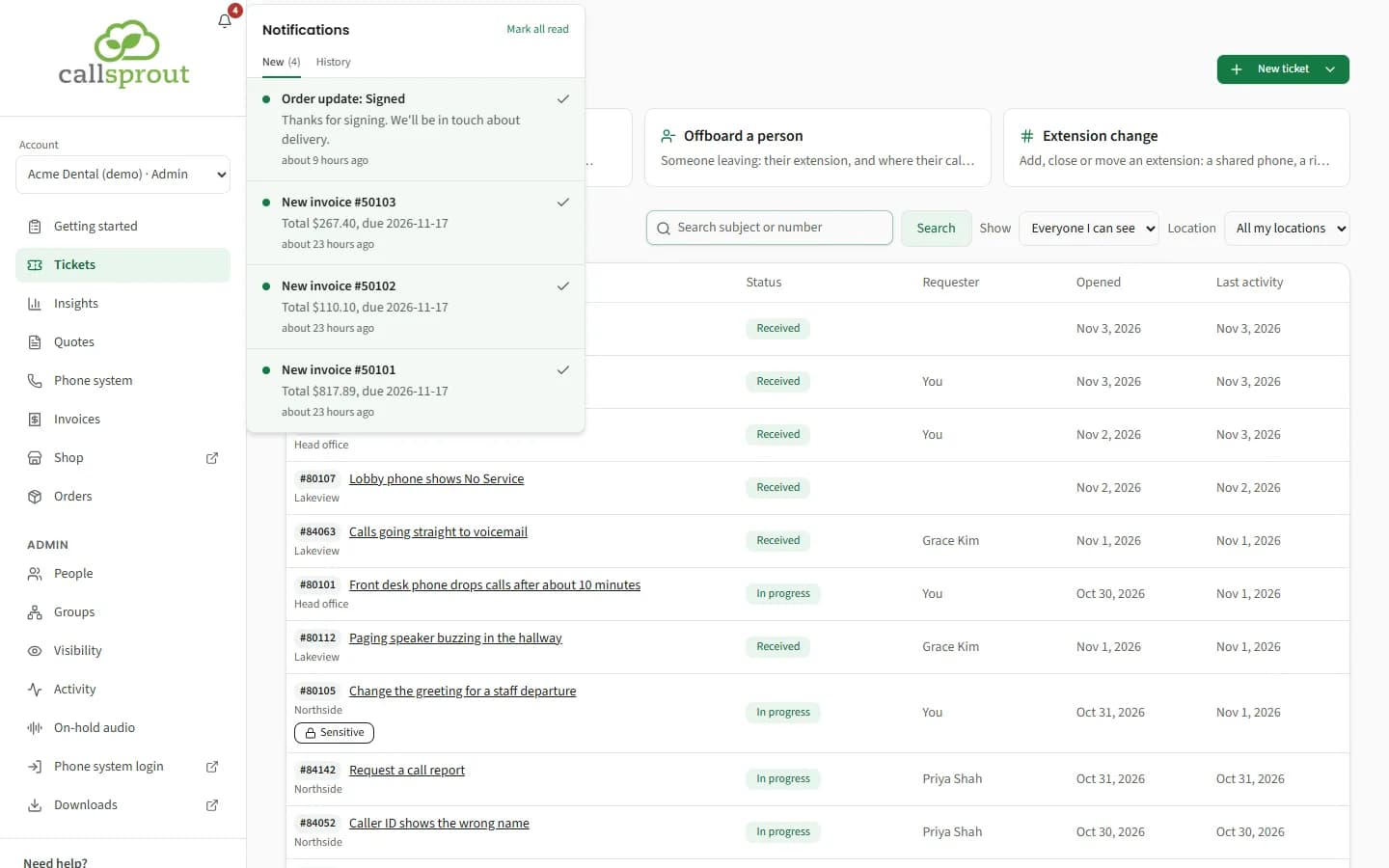
The bell sits in the corner of the CallSprout logo at the top of the sidebar (on a phone, in the top bar). A red count shows how many alerts you haven't read.
Using it
- New shows unread alerts. History shows everything from the last 7 days; notifications are kept for 7 days.
- Click an alert to open the ticket, invoice, order or Getting started item it's about. Opening it marks it read.
- Tick an alert to mark it read without opening it, or use Mark all read. Show older loads more.
- With nothing new, you'll see "You're all caught up."
Alerts belong to one company. If you're on several, each one has its own, and the Account switcher shows each company's unread count beside its name ("· 2 new"). See Working for more than one company in Signing in.
What rings the bell
| Alert | Who gets it |
|---|---|
| CallSprout replied on ticket #N: {subject} | The people on that ticket who can see it (not every admin). That includes whoever opened it for a colleague, and anyone who replied on it. On a billing ticket, only people who can see your invoices. It usually rings within a few minutes of the reply, and within about 30 minutes at most. |
| {name} marked ticket #N resolved: {subject} | The person the ticket is for, when someone else closed it: "It's closed now. If you're still having this problem, open the ticket and choose Open a follow-up ticket." |
| New invoice #N, Invoice #N is past due | People who can see invoices. Admins also see a banner at the top of every page while any invoice is past due (see Invoices and payments). |
| Your payment of $X went through / didn't go through | The person who paid |
| Order update: Waiting for your signature, Signed, Not going ahead | The person who placed the order |
| We've started on your {item}, Your {item} is done, Please update your {item} | New customers with Getting started: the people the item is assigned to, and your company's admins, once each. "Please update" means CallSprout sent the item back for changes, and says what to change. |
The bell doesn't send emails. Ticket emails still come from CallSprout's support system as usual.
Related articles
Still stuck? Contact support
Our team in West Palm Beach can walk you through it. Tell us your name, your company and what you were trying to do.