
View your quotes
- Audience: Admins
Last updated
Who sees it: admins, and people with See quotes. Read-only. You see the quotes for your locations; for managers and users, also limited to their own contact's locations.
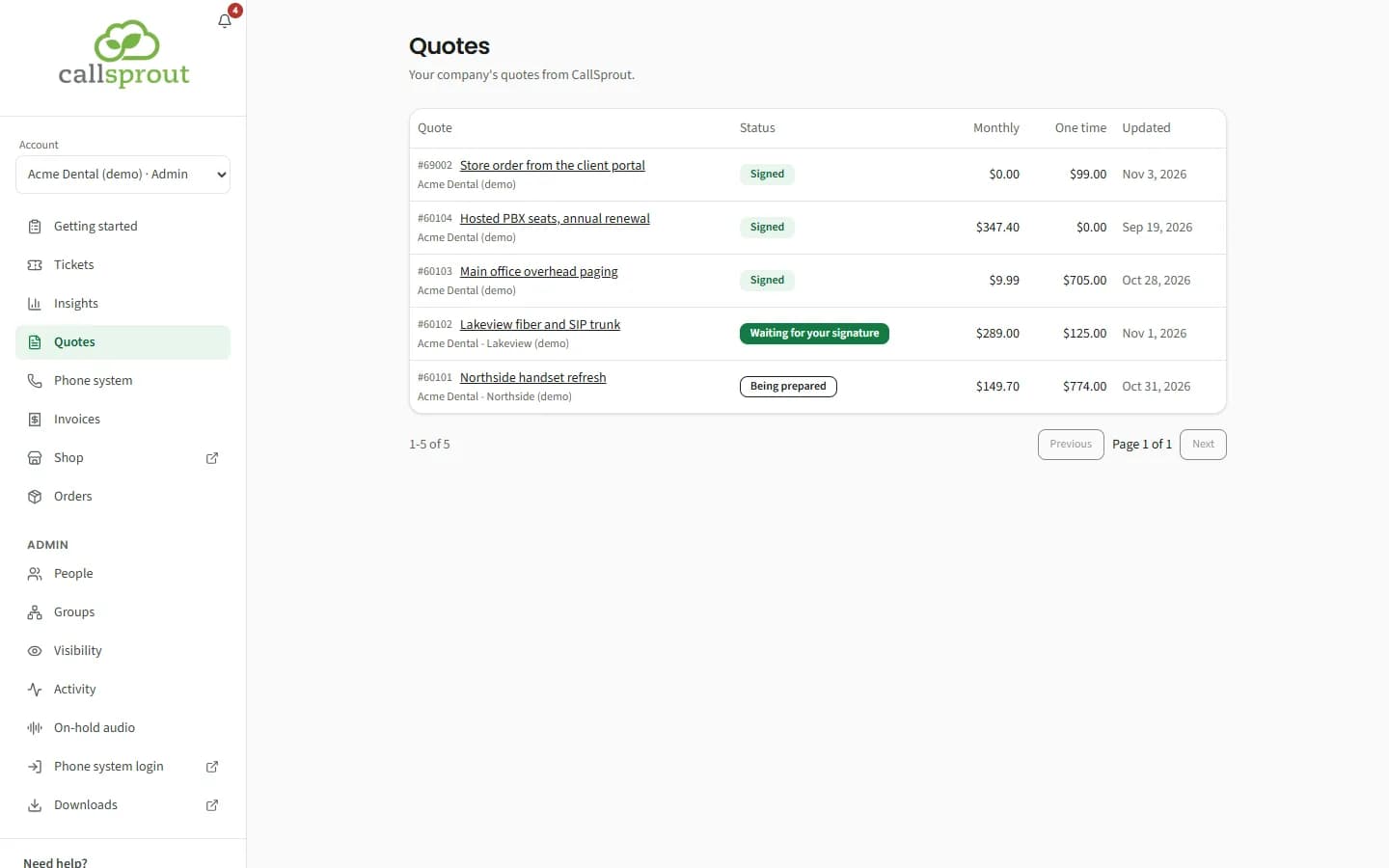
The list shows each quote's number and description, status, monthly and one-time totals, and when it was last updated. 20 per page.
| Status | Meaning |
|---|---|
| Being prepared | CallSprout is still working on it |
| Waiting for your signature | It's been sent to you to sign |
| Signed | Accepted |
Drafts, cancelled and declined quotes aren't shown.
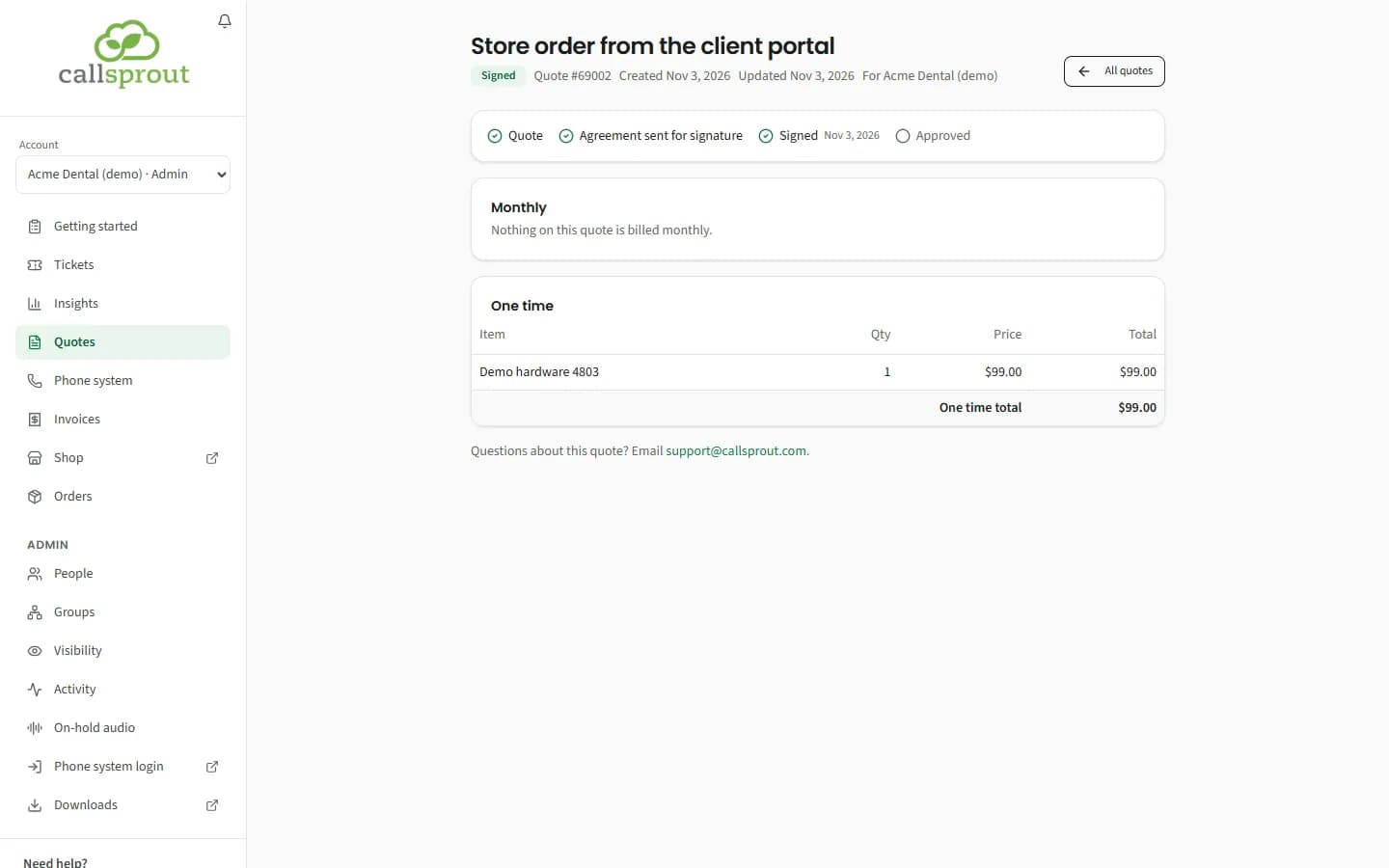
Open a quote for its Monthly and One time tables (item, quantity, price, total).
Above them, a line of steps shows how far the quote is on its way to an agreement: Quote, Agreement sent for signature, Signed, Approved, with the date of the step it's on, or Not going ahead if it stopped. While the agreement is out for signature it adds: "The agreement comes by email from PandaDoc, sent for CallSprout. Look for it in your inbox (or spam), and sign it there."
You can't sign or download a quote in the portal: the agreement is signed from that email. Questions? Email support@callsprout.com.
Related articles
Still stuck? Contact support
Our team in West Palm Beach can walk you through it. Tell us your name, your company and what you were trying to do.